A thoughtful home office gift can make everyday work more comfortable, organized, or enjoyable. Consider how the recipient works, what their workspace can fit, and which devices they already use.
Christmas Gift Ideas for the Home Office
1. ELABEST X100 Ergonomic Office Chair
A More Adjustable Desk Seat
ELABEST X100 Ergonomic Office Chair

- Features adjustable lumbar support, headrest, and flip-up armrests.
- Includes a reclining backrest and extendable footrest.
- Breathable mesh design suits long desk sessions.
Best For: Someone who spends long hours working at a desk.
2. NETGEAR Orbi 370 WiFi 7 Mesh System
More Room for Reliable WiFi
NETGEAR Orbi 370 WiFi 7 Mesh System

- Three-piece mesh system is designed to cover up to 6,000 square feet.
- Supports WiFi 7 speeds up to 5 Gbps and up to 70 devices.
- Works with cable or fiber internet equipment; made for use in the US.
Best For: A remote worker whose home office needs broader WiFi coverage.
3. INNOCN 34-Inch Ultrawide Monitor
An Expansive Screen for Multitasking
INNOCN 34-Inch Ultrawide Monitor

- 34-inch 21:9 display has 3440 × 1440 resolution.
- Picture-in-picture and picture-by-picture can show two connected devices.
- Height-adjustable stand, two HDMI ports, and DisplayPort are included.
Best For: Someone who works across documents, spreadsheets, or creative apps.
4. Blueair Blue Pure 511 Air Purifier
A Compact Workspace Air Purifier
Blueair Blue Pure 511 Air Purifier

- HEPASilent filtration captures at least 99.97% of airborne particles down to 0.1 microns.
- Operates at 24 dB on low speed, according to the product notes.
- Includes an installed filter and washable pre-filter.
Best For: Someone who wants a compact purifier for a home office.
5. UREVO Smart Under-Desk Walking Pad
A Walking Break Beside the Desk
UREVO Smart Under-Desk Walking Pad

- Walking speed ranges from 0.6 to 4 mph, with a 265-pound weight limit.
- Bluetooth app tracks steps, distance, calories, and workout time.
- Remote and app controls, built-in wheels, and a slim profile support storage.
Best For: A home office worker who wants to add walking to suitable tasks.
6. FLEXISPOT EN1 Electric Standing Desk
A Sit-Stand Workspace Upgrade
FLEXISPOT EN1 Electric Standing Desk
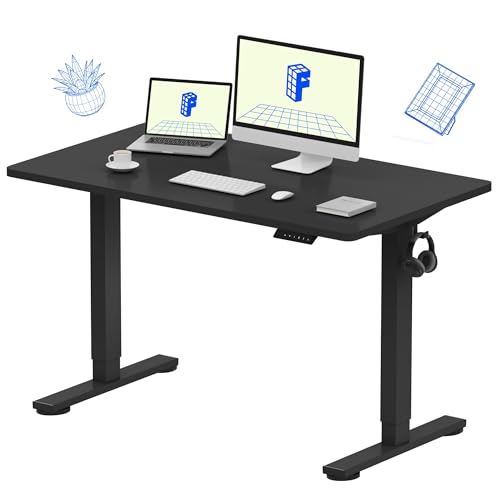
- Electric height adjustment ranges from about 28.9 to 46.5 inches.
- Four memory presets make it easy to return to preferred heights.
- One-piece desktop measures 48 by 24 inches and supports up to 176 pounds, per the title.
Best For: Someone who wants to alternate between sitting and standing.
7. HUANUO FlowLift Dual Monitor Arm
Two Screens, More Desk Space
HUANUO FlowLift Dual Monitor Arm

- Each arm supports a 13–32-inch monitor weighing 4.4–19.8 pounds.
- Offers tilt, swivel, rotation, and height adjustment up to 15.75 inches.
- Requires compatible VESA holes and a suitable wooden desk.
Best For: A two-monitor user with a compatible desk and screens.
8. EMEET C960 4K Webcam
A Sharper View for Video Calls

- 4K camera includes PDAF autofocus and automatic light correction.
- Built-in dual omnidirectional microphones capture audio.
- USB plug-and-play design includes a privacy cover; default resolution is 1080p.
Best For: Someone who regularly joins video meetings from home.
9. Nulaxy Adjustable Rotating Laptop Stand
A Raise-and-Rotate Laptop Stand
Nulaxy Adjustable Rotating Laptop Stand

- Adjusts up to 18 inches and rotates 360 degrees.
- Supports laptops or tablets up to 17 inches and up to 22 pounds.
- Foldable aluminum design; notes recommend an external keyboard and mouse.
Best For: A laptop user who wants to raise their screen off the desk.
10. Tronco Temperature-Control Heated Mug
A Warm Drink Within Reach
Tronco Temperature-Control Heated Mug

- 14-ounce mug offers three temperature settings: 130°F, 140°F, and 150°F.
- Includes a spill-resistant lid, charging coaster, power cord, and adapter.
- Battery warmth lasts 1.4–2.2 hours off the base, or up to 3.4–5.3 hours with the lid on.
Best For: A remote worker who likes sipping a hot drink during work blocks.
11. Kisnt KN85 Wireless Mechanical Keyboard
A Compact Keyboard for Daily Typing
Kisnt KN85 Wireless Mechanical Keyboard

- 75% layout keeps function keys and arrows while omitting the number pad.
- Connects via USB-C, 2.4 GHz wireless, or Bluetooth.
- Hot-swappable linear switches and adjustable RGB backlighting allow customization.
Best For: A frequent typist who enjoys compact desk gear.
12. Acer 9-in-1 USB-C Docking Station
One Hub for a Laptop Setup
Acer 9-in-1 USB-C Docking Station

- Includes two HDMI ports, three USB-A ports, one USB-C port, and SD and microSD slots.
- Supports dual 4K at 60 Hz displays when connected devices support the required features.
- Laptop must have a USB-C port with DisplayPort Alt Mode; power delivery also requires compatible support.
Best For: A laptop user connecting monitors and desk accessories.
13. ComfiLife Memory Foam Footrest
A Cushioned Place to Rest Your Feet
ComfiLife Memory Foam Footrest

- Memory foam cushion has adjustable height and a removable, machine-washable cover.
- Can be used under a desk, beneath the knees, or as a rocker.
- Lightweight design includes a carry handle.
Best For: A desk worker who wants a cushioned footrest.
14. ProtoArc EM11 NL Vertical Mouse
A Different Shape for Mouse Use
ProtoArc EM11 NL Vertical Mouse

- Vertical design is intended for hand lengths under 7.5 inches.
- Connects to up to three devices through Bluetooth and USB-A receiver modes.
- Rechargeable battery, quiet left and right clicks, and three DPI levels.
Best For: A computer user interested in trying a vertical mouse.
15. LED Desk Lamp with Wireless Charger
Task Lighting With Phone Charging
LED Desk Lamp with Wireless Charger

- Three color modes range from 3000K to 5000K, with dimming from 5% to 100%.
- Built-in 10W wireless charger is designed for compatible phones.
- Adjustable tube directs light, and the compact lamp folds for storage.
Best For: Someone who wants adjustable desk lighting and wireless charging.
16. Large Extended Desk Mat
A Roomier Keyboard and Mouse Area
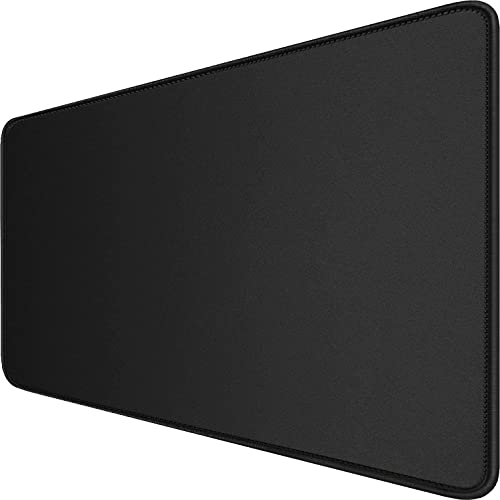
- 31.5-by-15.7-inch surface fits a keyboard, mouse, and other desk items.
- Non-slip rubber base and stitched edges help keep the mat in place.
- Waterproof coating is designed to make spills easier to clean.
Best For: Someone who wants a unified surface for a keyboard and mouse.
17. Anker Nano Desk-Clamp Power Strip
Accessible Power at the Desk Edge
Anker Nano Desk-Clamp Power Strip

- Provides six AC outlets, two USB-C ports, and two USB-A ports.
- USB-C charging delivers up to 70W, and the unit includes 1500J surge protection.
- Clamp fits desk edges 0.6–1.8 inches thick; includes a 5-foot power cord.
Best For: A desk worker who needs easy access to power and charging.
18. XBoard 48-Inch Monthly Whiteboard Calendar
A Wall Calendar for Work Plans
XBoard 48-Inch Monthly Whiteboard Calendar

- Monthly dry-erase calendar measures about 48 by 35.7 inches, including frame.
- Six writing lines provide space for the full month’s schedule.
- Includes a marker tray and mounting hardware.
Best For: A visual planner who likes keeping tasks in view.
19. Brother HL-L2480DW Monochrome Laser Printer
Printing, Scanning, and Copying at Home
Brother HL-L2480DW Monochrome Laser Printer

- Compact monochrome multifunction printer combines printing, scanning, and copying.
- Supports wireless, Ethernet, and USB connections, with automatic duplex printing.
- 250-sheet tray and flatbed scanner suit home office document tasks.
Best For: Someone who regularly prints and scans work documents.
20. Six-Piece Leather Desk Organizer Set
A Coordinated Set for Desk Storage
Six-Piece Leather Desk Organizer Set

- Set includes a writing pad, paper tray, magazine holder, letter sorter, pen cup, and sticky-note holder.
- MDF pieces have a PU leather surface and stitched finish.
- Organizer set arrives in a box and requires no complicated installation.
Best For: Someone who wants a tidier desk with coordinated accessories.
How to Choose Home Office Christmas Gift Ideas
Home office Christmas gift ideas work best when they fit the recipient’s actual routine, available space, and existing equipment. A practical upgrade can make a daily task easier, but a larger device or furniture item needs a little more planning than a small desk accessory.
Start with the workday
Think about what the person does most often. Frequent video calls point toward a webcam; document-heavy work may benefit from a printer or a larger display. A laptop user who connects several peripherals might appreciate a dock, while someone with two monitors could use an adjustable arm if the screens and desk are compatible. For a desk worker focused on comfort, a footrest or adjustable chair may suit their setup better than another electronic device.
If you are unsure what they need, notice recurring friction: a crowded desktop, a laptop screen that sits too low, tangled charging cables, or a schedule that is hard to keep visible. Small items such as a desk mat, organizer set, lamp, or whiteboard calendar can address these everyday annoyances without requiring a room redesign.
Match the gift to the space and devices
Measure before choosing furniture or accessories that attach to a desk. The standing desk needs room for its 48-by-24-inch top and clearance to move; the walking pad needs floor space near the workstation. A clamp-mounted power strip or monitor arm depends on the desk edge, thickness, material, and underside. Check those requirements against the product details before ordering.
For technology, confirm the recipient’s connections and hardware. The docking station requires a USB-C port with DisplayPort Alt Mode, and its power delivery requires compatible USB-C support. A dual-monitor arm requires screens within its size and weight limits with VESA mounting holes. The webcam and monitor list specific ports and platform compatibility, while the wireless mouse uses Bluetooth or a USB-A receiver. If the recipient relies on a Mac, check the display behavior described for the dock before choosing it.
Set a comfortable budget
A useful gift does not need to be a major investment. Desk organizers, a mat, a footrest, a lamp, or a heated mug can bring a daily benefit without replacing core equipment. Larger purchases such as chairs, desks, printers, and monitors may be more meaningful when you know the recipient wants that particular upgrade and has space for it.
Consider the full setup cost too. A dock may need a compatible power adapter; a printer will eventually need toner; and a walking pad calls for enough clear floor space. These details can help you decide whether a practical accessory or a larger centerpiece makes more sense for your budget.
Personalize around habits
Personalization can come from matching the item to how someone works. A coffee drinker may appreciate a temperature-control mug, while a person who changes tasks often could use a screen arrangement that makes documents easier to compare. For someone who likes planning visually, a large monthly calendar can turn project dates and priorities into a shared reference. An organizer set or desk lamp may also complement the colors and style already in the room.
When comfort-related products are involved, avoid assuming that one shape suits everyone. A vertical mouse has a learning curve and a hand-size recommendation; an adjustable chair or desk should fit the recipient’s body and preferences. If uncertain, choose a return-friendly option from the supplied list and keep the packaging intact until they have checked the fit.
Decide timing and delivery
Order larger or compatibility-sensitive gifts early enough to verify dimensions, ports, mounting requirements, and whether the desk area can accommodate them. Near Christmas, a smaller accessory may be easier to choose and set up quickly, especially when the recipient’s equipment is unfamiliar. For a last-minute decision, favor items with straightforward requirements, such as a desk mat, organizer set, or calendar, after checking the workspace size and mounting needs. A short note explaining why you chose it can make even a practical tool feel personal.
