A thoughtful gaming gift can make a familiar setup feel more personal or add something useful to everyday play. This list pairs customizable touches with practical gear for different gaming spaces and habits.
Christmas Gift Ideas for Gamers
1. Razer Iskur V2 X Gaming Chair
A More Personal Gaming Seat

- Built-in lumbar support and high-density foam cushions support long gaming sessions.
- The seat has a widened base and a backrest that reclines up to 152 degrees.
- 2D armrests adjust in height and rotate inward or outward; the chair has a plush fabric finish.
Best For: A gamer who spends long sessions at a desk and would enjoy a personalized seat.
2. AOC Captain 300 Wireless Gaming Headset
Wireless Audio for Game Nights
AOC Captain 300 Wireless Gaming Headset

- Connects through a 2.4GHz USB dongle, Bluetooth 6.0, or a 3.5mm audio cable.
- The detachable microphone is adjustable and can be removed for solo play.
- The listing describes up to 45 hours of battery life, or 20 hours with RGB lighting on.
Best For: A gamer who chats with friends or wants an immersive audio upgrade.
3. Acer USB 3.0 HDMI Capture Card
For Sharing Gameplay
Acer USB 3.0 HDMI Capture Card

- Supports 4K HDMI input and 1080p at 60Hz output, according to the listing.
- A 3.5mm mic-in supports voice commentary while capturing or streaming.
- The card works with listed consoles and apps including Switch, PS5, OBS, and VLC.
Best For: A console gamer or creator who records and shares gameplay.
4. Custom Photo Gaming Mouse Pad
A Desk Mat with Their Image
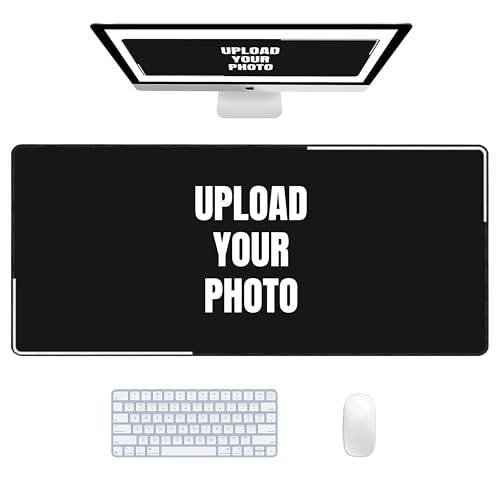
- Personalize the full-print design with a photo, artwork, or logo.
- The 31.5-by-11.8-inch mat fits a keyboard and mouse, with room for a laptop.
- Its rubber base is described as non-slip, and the polyester surface is washable.
Best For: A PC gamer who wants a coordinated desk surface that reflects their style.
5. Red Retro Controller Artisan Keycap
A Small Keyboard Signature
Red Retro Controller Artisan Keycap

- The resin keycap is shaped like a classic game controller, with recognizable buttons and contours.
- Its translucent design allows RGB backlighting to shine through.
- The standard MX stem is listed as compatible with Cherry MX, Gateron, Kailh, and Outemu switches.
Best For: A mechanical keyboard owner who enjoys expressive setup details.
6. Quntis RGB Monitor Light Bar
Lighting Tuned to Their Setup

- The remote adjusts four color temperatures, brightness, and 15 RGB backlight modes.
- Its 20-inch light bar mounts above most monitors, including listed ultrawide curved screens.
- Choose front lighting, RGB backlighting, or both; the bar is powered by USB-C.
Best For: A desk gamer who wants adjustable ambient lighting around their display.
7. MOVE SPEED 2TB Portable External SSD
Portable Space for Games and Clips
MOVE SPEED 2TB Portable External SSD

- The portable drive offers 2TB of storage and includes a USB-C cable.
- The listing describes compatibility with PS5, smartphones, and Windows or Linux computers.
- Its compact design has a magnetic X shape and a soft RGB glow.
Best For: A gamer who needs more space for a growing library or saved recordings.
8. Custom Engraved PS5 DualSense Controller
A Controller with Their Gamer Tag
Custom Engraved PS5 DualSense Controller

- Personalize the wireless controller with an engraved name, gamer tag, or message.
- The listing describes font, design, and engraving-placement choices.
- It retains DualSense features including haptic feedback and adaptive triggers.
Best For: A PlayStation 5 gamer who appreciates gear that feels uniquely theirs.
9. GL.iNet Flint 2 Wi-Fi 6 Gaming Router
A Network Upgrade for the Gaming Room
GL.iNet Flint 2 Wi-Fi 6 Gaming Router

- The Wi-Fi 6 router is listed with dual 2.5G ports and four 1G ports.
- It supports OpenVPN and WireGuard, with listed speeds up to 880 Mbps and 900 Mbps respectively.
- The listing notes that firmware should be updated during initial setup.
Best For: A gamer whose household setup could benefit from a dedicated networking upgrade.
10. Razer Viper V3 Pro Wireless Gaming Mouse
Personalized Control for PC Play
Razer Viper V3 Pro Wireless Gaming Mouse

- The right-handed wireless mouse weighs 55g and has six programmable buttons.
- Its optical sensor is listed at up to 35,000 DPI, with an included wireless dongle.
- The listing describes up to 95 hours of battery life at 1000 Hz polling.
Best For: A PC gamer who wants precise controls and a personalized setup.
11. ODK 55-Inch Gaming Desk with LED Lights
Room to Build Their Setup
ODK 55-Inch Gaming Desk with LED Lights

- The desk has 10 static LED colors, eight brightness levels, and 10 dynamic lighting modes.
- A raised monitor stand, reversible shelves, and a dedicated CPU stand support setup organization.
- The 55-inch desktop provides space for dual monitors and accessories.
Best For: A gamer who wants a dedicated setup with a personal touch.
12. ASUS TUF 27-Inch QHD Gaming Monitor
A Bigger View of the Game
ASUS TUF 27-Inch QHD Gaming Monitor

- The 27-inch display has QHD 2560-by-1440 resolution and a 180Hz refresh rate.
- Fast IPS, 1ms response time, and adaptive sync features are listed for gaming visuals.
- Built-in speakers provide audio output without separate speakers.
Best For: A PC gamer ready for a major visual upgrade to their setup.
13. 1080p Webcam with Microphone and Privacy Cover
A Camera for Streams and Calls
1080p Webcam with Microphone and Privacy Cover

- The webcam captures 1080p video at 30 frames per second and includes automatic light correction.
- Dual noise-reducing microphones are built in, and a sliding cover blocks the lens.
- It is listed as plug-and-play with Windows, Mac, Linux, and Android.
Best For: A gamer who streams, joins video calls, or records content.
14. EPOS B20 USB Streaming Microphone
A Voice Upgrade for Streams
EPOS B20 USB Streaming Microphone

- The USB microphone is described as plug-and-play for PC use.
- Four pickup patterns are listed: cardioid, bidirectional, omnidirectional, and stereo.
- A headphone jack allows real-time monitoring; a desk stand and 2.9-meter cable are included.
Best For: A streamer or multiplayer gamer who wants clearer voice chat.
15. 8Bitdo Dual Xbox Controller Charging Dock
A Neater Place to Recharge
8Bitdo Dual Xbox Controller Charging Dock

- The dock is officially licensed by Xbox and supports Xbox Series and Xbox One wireless controllers.
- Magnetic contacts secure controllers while charging, with amber and white charging indicators.
- Two rechargeable battery packs and four battery doors are included.
Best For: A console gamer with multiple controllers who likes a neat charging station.
16. Custom Gamer Name Neon-Style Sign
Their Name on the Gaming Wall
Custom Gamer Name Neon-Style Sign

- Customize the sign with a player name, nickname, or other text, with listed font and color options.
- A dimmer adjusts brightness and light-effect modes.
- Pre-drilled holes, instructions, and installation accessories are included.
Best For: A gamer who enjoys decorating a gaming room or desk area.
How to Choose Personalized Christmas Gift Ideas for Gamers
Personalized Christmas gift ideas for gamers can range from a name on a controller to a room-scale upgrade. Start by matching the gift to how the recipient plays, then check what their current setup can support.
Choose by gaming habits
Think about what they do most often. A player who spends hours at a desk may appreciate a chair, desk mat, monitor light, or larger desk. Someone who plays online with friends may get more use from a headset or microphone. For a streamer, a webcam or capture card can support calls, broadcasts, or recorded gameplay. A controller charging dock suits a console household with more than one controller, while a portable SSD may help someone who stores games or recordings.
Consider the scale of the gift, too. A keycap, custom mat, or name sign adds a personal detail without replacing major equipment. A monitor, chair, router, or desk changes a larger part of the setup and needs more planning around space, existing gear, and household needs.
Set a budget and choose the right kind of personal touch
Decide on a comfortable budget before comparing features. Smaller accessories can still feel considered when their design connects to the recipient’s gaming style. A photo or logo on a desk mat, a controller-shaped keycap, or a sign with a gamer tag makes the gift feel specific to them. For a more practical present, choose a feature they will use often and add a personal touch through a card or gift note.
For custom text or images, confirm the personalization fields and proofread everything before submitting. Keep names and gamer tags legible; the controller listing specifically says submitted text and spacing are reproduced as entered. Choose an image with enough clarity for a large print, and consider whether the recipient would prefer a real name, online handle, or a design that does not identify them publicly.
Check compatibility before buying
Gaming gear depends on the rest of the setup. Confirm the recipient’s platform and connections before choosing a headset, controller, capture card, monitor, router, or storage device. The headset listing distinguishes between USB dongle, Bluetooth, and wired use, and notes that PS5 and PS4 do not support its Bluetooth audio mode. The capture card lists supported consoles and a USB 3.0 requirement. For the PS5 controller, make sure the recipient actually plays on PS5; the Xbox dock is for Xbox Series and Xbox One wireless controllers.
For desk and lighting gifts, measure the available space and check monitor shape or mounting fit. A wide desk mat or 55-inch desk may not suit a compact room. If choosing a router or a large setup upgrade, consider whether the recipient controls the home network and has room to install it.
Plan personalization and timing
Custom items need a little extra attention because the text, image, or color choice is part of the gift. Gather the exact spelling and preferred style early, and check the seller’s personalization steps and current timing before ordering. This guide does not establish availability or delivery dates, so avoid relying on an assumed arrival window.
If Christmas is close, choose a standard accessory from the list only after confirming current delivery details, or present a printed note describing the personalized item you plan to order. That keeps the gift meaningful while leaving time to verify the design and fit. For a last-minute choice, prioritize a product whose platform and setup requirements you already know, and include a short explanation of why you picked it.
